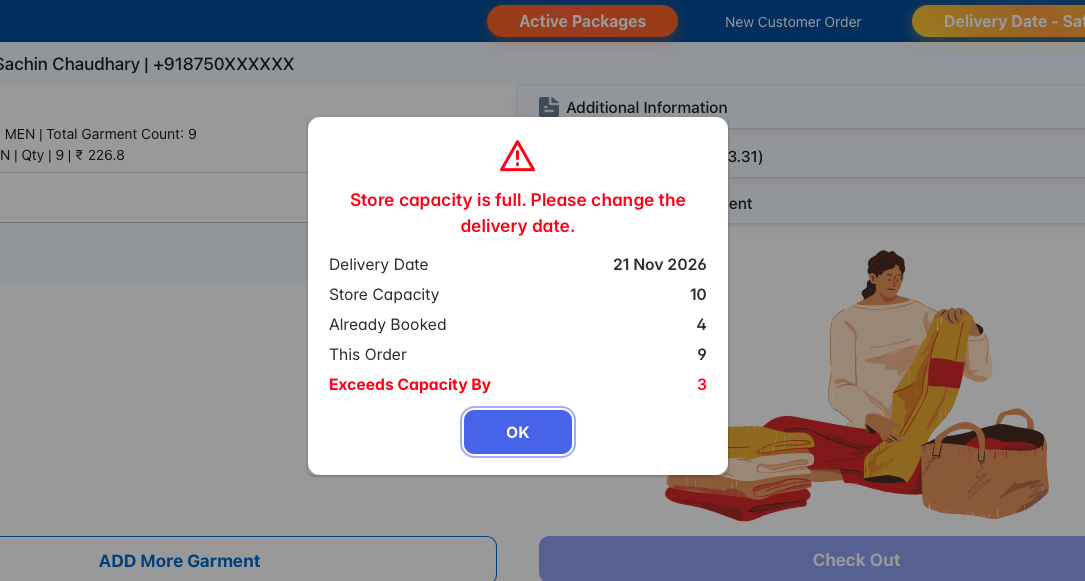
New Holiday calendar & load capacity
Close on holidays. Never take more orders than you can finish.
Mark your shop holidays on one calendar and set a daily order limit. Your team sees every day as open, busy, full or closed.
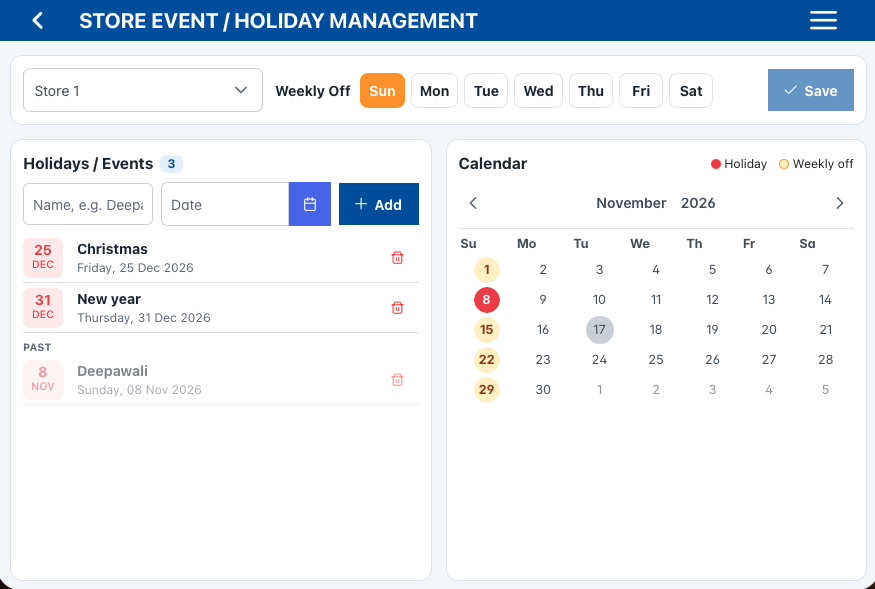
Mark holidays Store wise
Select your store, Pick a date, name the holiday and save. Closed days stand out on the calendar so nobody plans a delivery for them.
- Add festival and shop-closed days
- Edit or remove a holiday any time
Set how many orders you can take each day & Check the load before you promise a date
Enter the number of orders your team can handle. The calendar shows how full each day is, from open to full.
- One limit for every day, or change it for a single day
- Busy and full days are colour-coded
While booking an order, see how busy the delivery day is, so you can pick a day your team can actually keep.
- Spot full days before the customer does
- Fewer late deliveries and rushed orders